Loading
For schools
Practice your students do because they want to
Rosters imported in bulk, four separate roles with their own logins, and reporting per student, per subject and per topic. The part the students see is a game; the part you see is a dashboard.
No email address per student
Four separate portal roles
Three languages, one account
Grades 1 to 6
Roles
Who can see what
Each role signs in separately and is limited to the students it is responsible for. Nothing is shared by having one password passed around a staff room.
| Role | Sees | Can do |
|---|---|---|
| School admin | Every student, every grade, every section | Create students in bulk, set up grades and sections, assign teachers and directors |
| Director | The students in the grades they oversee | Review progress per student and per subject across their grades |
| Teacher | Only the sections assigned to them | Follow their own students' accuracy, topics and activity |
| Parent | Their own child only | See accuracy per subject and topic, streaks and level, and manage the subscription |
Teacher, director and school logins are separate roles, each limited to the students that role is responsible for.
The student side
What your students will see
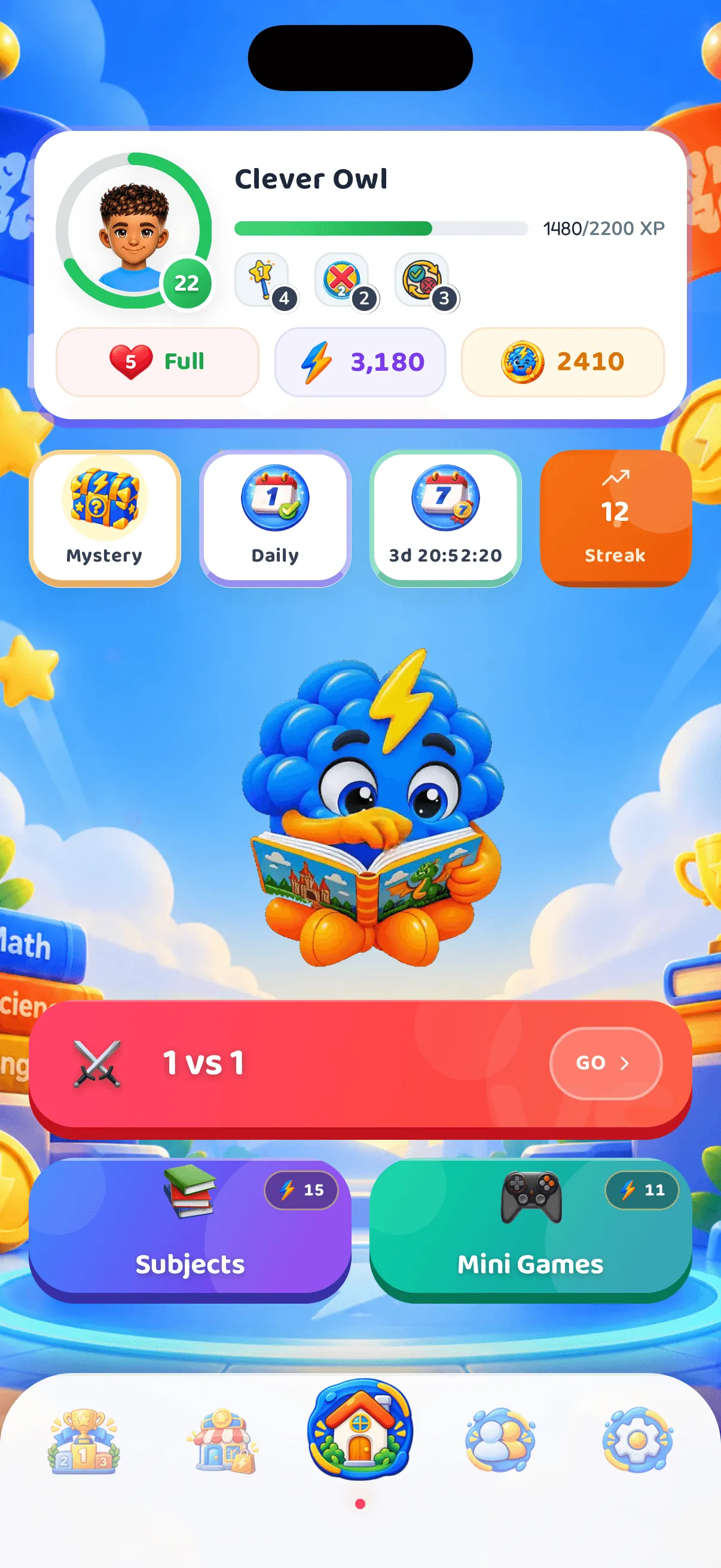
Real screens from the app, captured in each language. Students sign in with a Student ID and a PIN — nothing about a school account changes the app they use.
Real screens from the app — not mock-ups made for this page.
Reporting
What you can actually see
Reporting is per student and rolls up by section and grade.
- Accuracy per subject and per curriculum topic, so a weak topic is visible before a test is
- Questions answered and time active, which separates a quiet student from an absent one
- Level, streak and game-mode breakdown per student
- Each school year archived as students move up, so a past grade stays viewable
How it fits
Built around a timetable you already have
Easy Bulk Onboarding
Import your entire class roster in seconds. Each student receives a unique ID and PIN card — ready to use immediately.
Year-on-Year History
Each school year is archived as a student moves up, so you can open any past grade and see that year's results.
School Admin Dashboard
Track performance across all grades. See which subjects need attention and celebrate top performers.
Curriculum Aligned
Every question is mapped to Grade 1–6 school curricula. Supplements classroom teaching perfectly.
Trilingual — EN, FR & AR
Full English, French and Arabic support throughout the app. Students switch language anytime, seamlessly.
Dedicated Support
Priority onboarding assistance and a direct support line for school administrators. We are here every step of the way.
Next step
Talk to a person before you commit anything
Tell us your grades and roughly how many students. We will walk you through onboarding and school pricing — there is no self-serve school checkout, on purpose.
Ask for a walkthrough
We will show you the admin dashboard, a teacher's view and a student's app, using a demonstration school rather than anyone's real data.
Setting it up
The administrative detail, for whoever will actually do it. It is four steps and it is done once.
- Create students in bulk for a grade or a section — no email address needed for any of them.
- Each student gets a Student ID and a PIN. The PINs appear once and cannot be recovered afterwards, so print the cards before closing the screen.
- Assign teachers to grades and group students into sections.
- Teachers and directors then see their own students’ progress from their own logins.
Teacher, director and school logins are separate roles, each limited to the students that role is responsible for.
Questions schools ask
How are students onboarded without email addresses?
You create them in bulk from the admin dashboard. Each student gets a Student ID and a PIN, shown once so the cards can be printed, and stored afterwards only as a hash. No student ever enters an email address.
What happens at the end of a school year?
The year is archived as a student moves up, so any past grade stays open and viewable with that year's results. Nothing is deleted when a student changes grade.
Does it replace what teachers do?
No. It is a practice layer. The reporting tells a teacher which topics a class keeps getting wrong; what to do about that is the teacher's job, not the app's.
What does it cost for a school?
School pricing is arranged directly, because it depends on the number of students and the length of the term. It is not the retail price on the pricing page, and there is no self-serve school checkout.
Which languages does the platform support?
English, French and Arabic throughout, for students and for staff. A student can switch at any time, and the choice does not affect which subjects they can play.
Ask for a walkthrough
We will show you the admin dashboard, a teacher's view and a student's app, using a demonstration school rather than anyone's real data.